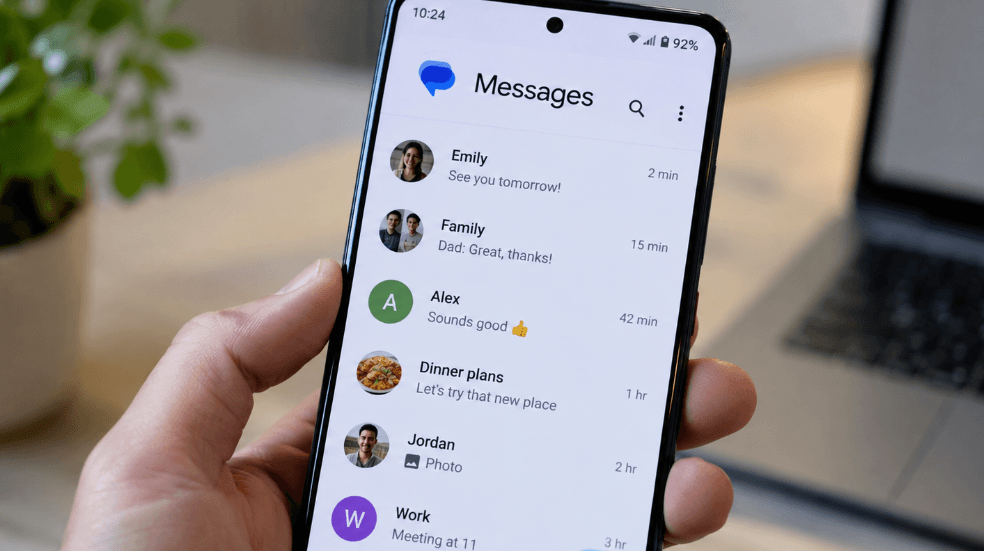
Google Messages is receiving a series of updates aimed at improving how Android users manage conversations, customize chats and communicate with iPhone users through RCS. As of September 2026, some features remain in beta testing, while several others have reached stable availability.
For Canadian Android users, the changes are particularly relevant as RCS increasingly serves as the bridge between Android and iPhone messaging, bringing features traditionally associated with dedicated messaging apps into standard mobile conversations.
Google Messages Continues Gradual Feature Rollout
Google frequently tests new Messages features through staged and A/B rollouts, meaning availability can differ between devices and accounts. As a result, some users may receive a feature weeks or months before others.
Several changes previously limited to beta versions have now become more widely available.
Messages for Web Moving Away From QR Code Pairing
Google is transitioning Messages for web toward Google Account-based sign-in rather than QR code pairing.
The QR code option was still available as of late April, but the broader direction is toward requiring users to connect through their Google Account when accessing Messages from a computer.
Read Receipts Get a New Look
Google has also redesigned RCS read receipts. Status indicators now appear inside a circle at the bottom-right corner of message bubbles and images.
The updated indicators use an ellipsis while a message is sending, a single check with a ring when sent, two checks with rings when delivered, and two checks inside a solid circle once the message has been read.
The redesign initially began appearing in August 2024 and has since expanded through beta and stable releases.
New Swipe Gestures Make Timestamps Easier to Access
One of the latest stable changes modifies how users interact with conversations.
Swiping left anywhere within a conversation now reveals timestamps and the RCS encryption lock. To reply directly to an individual message, users swipe right on that specific message bubble.
Tapping a message continues to display its read-receipt information.
The changes separate the reply and conversation-information gestures, giving each action a more clearly defined interaction.
Long-Press Menu Adds More Precise Copying
Google Messages has replaced its previous top toolbar for selected messages with a floating menu.
Long-pressing a message or image now brings up the menu while blurring the conversation in the background. A further press allows users to select and copy only part of a message rather than copying the entire text.
That could be particularly useful for conversations containing addresses, confirmation numbers or other pieces of information that users want to extract individually.
Google Messages has also introduced an official chat designed to showcase new features and provide updates about the messaging service.
Android-iPhone RCS Conversations Improve With iOS 27
Cross-platform messaging is also becoming more capable following the September launch of iOS 27.
RCS conversations between Android phones and iPhones now support inline replies that include quoted messages. Photo reactions can also appear as the actual emoji rather than being converted into a written description.
The improvements help reduce some of the inconsistencies users have encountered when participating in mixed Android-iPhone conversations.
Google Keep Integration Expands Inside Messages
Google Keep integration is now rolling out widely in Google Messages, allowing users to create and share notes directly from a conversation.
A contextual “Create list” suggestion may appear when appropriate. Users can also open the plus menu and select the new “Keep Notes” tile.
From there, Messages displays existing notes along with an option to create a new one. After selecting or creating a note, it can be sent directly into the conversation, where recipients see a live preview.
The integration could make it easier to share shopping lists, travel plans, household tasks and other collaborative information without repeatedly switching between apps.
Chat Themes Bring More Personalization
Google Messages is also introducing expanded customization through a new “Chat theme” feature, replacing the earlier “Change colors” option introduced in 2024.
The setting is available through the three-dot menu, with a red badge potentially appearing when the feature becomes available on a device.
Users can customize message bubbles through a Colors carousel containing nine choices. Dynamic Color is the first option and adjusts according to the conversation background.
Custom Wallpapers Added to Conversations
Chat themes also allow users to change conversation backgrounds.
People can upload their own image or choose from Google’s built-in wallpaper collections, including Animals, Architecture, Black & White, Cityscapes, Landscapes, Macro, Space, Sunsets and Textures.
The selected themes appear only on the user’s own device rather than changing how the conversation looks for other participants.
Google Messages Evolves as RCS Adoption Expands
The September 2026 updates continue Google’s gradual expansion of Messages beyond basic SMS and RCS functionality. Better cross-platform replies, integrated notes, customizable themes and more precise message controls are bringing additional messaging tools into the default Android experience.
Because Google relies heavily on staged rollouts, however, Canadian users may not receive every feature simultaneously. Availability can vary by device, app version and account as the latest Google Messages updates continue to reach more users.



More Stories
Why a Google TV Projector Could Replace My Next Television
New Laser-Based Method Could Help Detect Toxic Methanol in Sealed Alcohol Bottles
Lenovo Pro 9i Aura Edition Review: A Powerful Creator Laptop Focused on Productivity and Performance